Follow this step-by-step website development guide to build a professional site, attract more leads, and grow your small business faster in 2026.
Step-by-step website development for business growth

TL;DR:
- A professional website can double business growth and triple lead generation.
- Proper planning, content preparation, and choosing the right platform are essential for success.
- Continuous testing and updates post-launch significantly improve results and ROI.
Businesses with a professional website grow 2x faster and generate over three times more leads than those without one. Yet many small business owners and entrepreneurs still feel paralysed when it comes to actually building their site. The choices are overwhelming: which platform, which design, which features, how much to spend. This guide cuts through the noise. It lays out a practical, step-by-step process you can follow with confidence, whether you are starting from scratch or finally replacing that outdated page you have been meaning to fix for two years.
Table of Contents
- What you need before you start
- Choosing the right platform and tools
- Step-by-step website development process
- Testing, launch, and common pitfalls to avoid
- What to expect: ROI and growth post-launch
- The reality of website development: what most guides don’t tell you
- Ready to build or upgrade? Get expert help or see real-world examples
- Frequently asked questions
Key Takeaways
| Point | Details |
|---|---|
| Plan first | A clear plan and requirements prevent scope creep and wasted budget. |
| Choose platforms wisely | Select tools based on ease, cost, growth, and specific business needs. |
| Prioritise function over perfection | Get a fast, responsive site live and improve over time using analytics. |
| Thorough testing matters | Test on all devices and fix errors before and after launch to keep users engaged. |
| Track and refine | Monitor lead generation, site speed, and content performance to drive long-term growth. |
What you need before you start
Before a single page is built, you need clarity. Skipping this stage is one of the most common reasons website projects go over budget and over schedule. Scope creep from skipping planning is a well-documented pitfall, and it almost always comes down to not knowing what you actually need before work begins.
Start by defining your primary goal. Is the site there to generate leads, sell products, take bookings, or simply provide information? Your answer shapes every decision that follows. Then identify your target audience and the single most important action you want them to take when they land on your site.
Next, list your core requirements. A useful starting point:
- Contact forms and a clear call to action
- A services or products page
- An about page that builds trust
- Mobile-friendly design
- Basic SEO setup from day one
- Optional: blog, online shop, booking system
Budget is equally important to nail down early. DIY builders can cost as little as £13 per month, while a bespoke website build can range from £1,500 to well over £7,000 depending on complexity. Neither is inherently better. It depends on your goals.
Finally, gather your content before you start building. That means your logo, brand colours, photos, service descriptions, and any customer testimonials. Waiting until the site is half-built to source these is a guaranteed way to stall your project. Good website project planning treats content as a first-class requirement, not an afterthought. You can see how this kind of structured thinking plays out in practice by looking at B2B website planning in action.
Pro Tip: Write a one-paragraph brief describing your business, your audience, and your goal before you open any website builder. It will save you hours of indecision later.
| Requirement | DIY builder | Custom build |
|---|---|---|
| Branding and design | Templates available | Fully tailored |
| Content management | Built-in | CMS of your choice |
| Budget range | £13–£40/month | £1,500–£7,000+ |
| Time to launch | Days to weeks | Weeks to months |
Choosing the right platform and tools
With your foundations in place, it is time to choose the tools that fit your goals, timeline, and capabilities. The platform you pick will shape your site’s flexibility, its long-term maintenance burden, and how easily it can grow with your business.
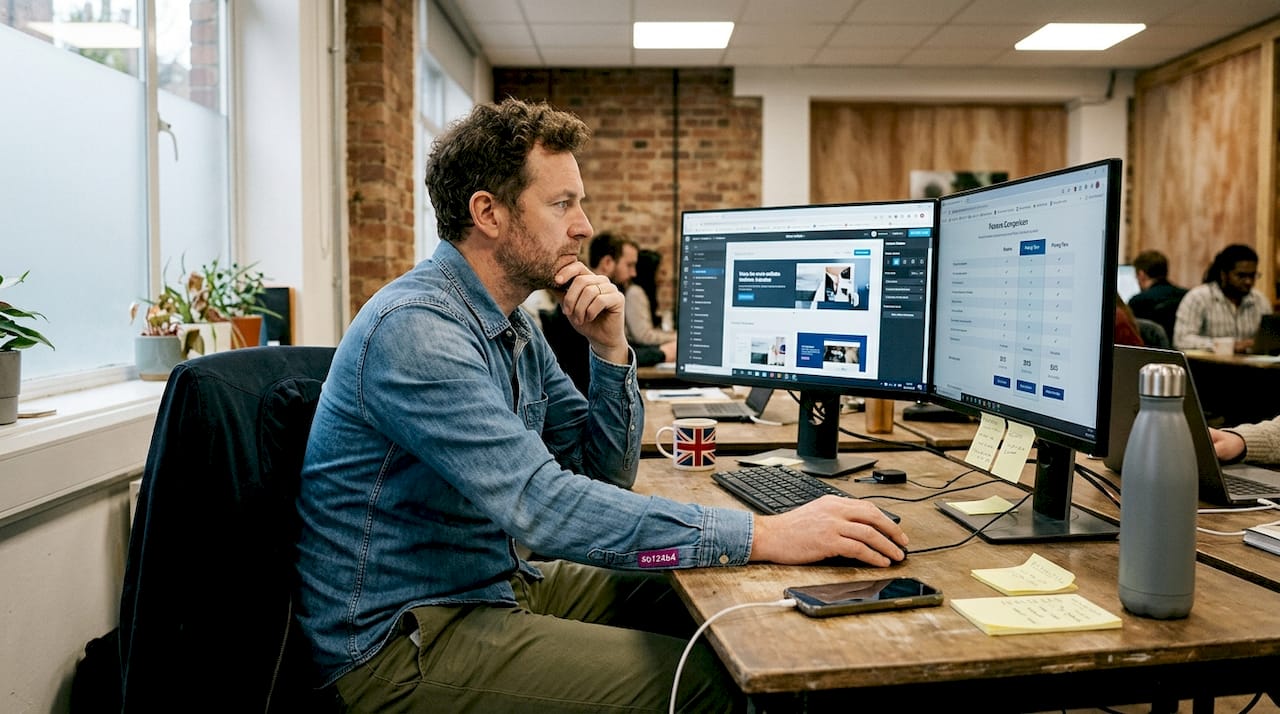
WordPress powers 43% of websites globally and remains the most scalable option for businesses that need flexibility. Wix and Squarespace are strong choices for design-led, fast-to-launch sites. Shopify is purpose-built for e-commerce and hard to beat in that space.
Here is a quick comparison to help you decide:
| Platform | Best for | Ease of use | Scalability | Cost |
|---|---|---|---|---|
| Wix | Simple brochure sites | Very easy | Limited | Low |
| Squarespace | Design-focused sites | Easy | Moderate | Low to mid |
| WordPress | Blogs, business, portfolios | Moderate | High | Low to high |
| Shopify | Online stores | Easy to moderate | High | Mid |
| Custom build | Complex or unique needs | Requires developer | Very high | High |
The key trade-offs to understand:
- No-code builders are fast but can restrict custom features and make future migration painful
- WordPress is flexible but requires more setup and ongoing maintenance
- Custom builds offer the most control but need professional development input
The benefits of custom design are real, particularly for businesses that need to stand out or handle complex user journeys. If you are planning to scale aggressively, it is worth reading about WordPress for business growth and even decoupled WordPress architectures that separate the front end from the back end for maximum performance.
Pro Tip: Do not choose a platform based on what your competitor uses. Choose based on what your site needs to do in 12 months, not just today.
Step-by-step website development process
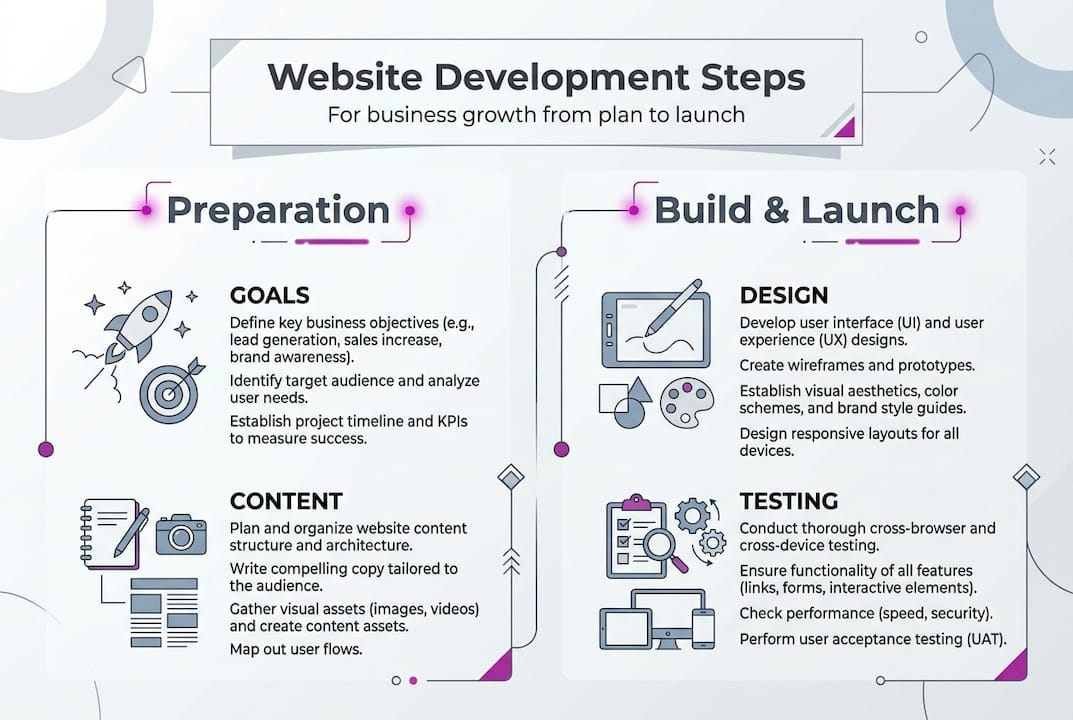
Your chosen platform and prep work make the next part straightforward. Here is the process, in order:
- Register your domain. Choose something short, memorable, and relevant to your business name. Use a reputable registrar and keep the renewal in your calendar.
- Set up reliable hosting. For WordPress, managed hosting like Kinsta or WP Engine is worth the cost. For builders like Wix or Squarespace, hosting is included.
- Install your platform and apply your design. Start with a clean template that matches your brand. Avoid overloading it with plugins or widgets before the core pages are done.
- Build your key pages. Home, about, services, and contact are non-negotiable. Every other page is secondary until these are solid.
- Add content and optimise images. Compress images before uploading. Write page titles and meta descriptions for every page. This is your baseline SEO.
- Test for mobile and accessibility. Over half of web traffic is mobile. A responsive design is not optional.
- Check forms, links, and site speed. Every form should send a confirmation. Every link should go somewhere real.
- Launch and announce. Submit your sitemap to Google Search Console. Tell your existing customers. Post on your social channels.
Neglecting SEO and mobile UX are consistently cited as the top reasons newly launched sites fail to generate results. Do not skip steps five and six.
A site that is live and imperfect will always outperform one that is perfect and still in a folder on your desktop.
If you want a professional website build rather than doing it yourself, the same steps apply. The difference is that a developer handles the technical layers while you focus on your business.
Pro Tip: Set up Google Analytics and Google Search Console before you launch, not after. You want data from day one.
Testing, launch, and common pitfalls to avoid
Building your website does not end with hitting publish. Launching safely and avoiding costly mistakes is critical to protecting the investment you have just made.
Before you go live, run through this checklist:
- Test every form on a real device and confirm the submission arrives in your inbox
- Check all pages on both desktop and mobile
- Run your site through Lighthouse or PageSpeed Insights to catch performance issues
- Verify that images load correctly and are not slowing the page down
- Test edge cases: what happens if someone submits a blank form, or uses a very long name in a field?
- Check that your 404 page is set up and redirects broken links where possible
Post-launch, the work continues. Install analytics, monitor your bounce rate, and check which pages visitors are actually reading. Keep your content fresh. A site that has not been updated in 18 months sends a quiet but clear signal to visitors.
Common mistakes to avoid:
| Mistake | Impact | Fix |
|---|---|---|
| Slow load times | Higher bounce rates | Optimise images, use CDN |
| Untested contact forms | Lost leads | Test before and after launch |
| No mobile testing | Poor user experience | Test on real devices |
| Missing meta descriptions | Weak SEO | Write one per page |
Aim for a load time under three seconds. Sites that miss this threshold see measurably lower retention. Use a content delivery network (CDN) to serve assets faster to visitors in different locations, and minify your JavaScript and CSS files to reduce page weight.
What to expect: ROI and growth post-launch
With your site in the world, here is what happens next and how to ensure ongoing results.
The numbers are clear. Businesses with websites generate 3.2x more leads than those without. Professionally designed sites yield 53% higher success rates, and 57% of businesses see revenue growth of 25% or more after launching a properly built site. These are not marginal gains.
That said, a website is not a passive asset. The businesses that see the best results treat their site as a living tool:
- Update service pages when your offering changes
- Add case studies or testimonials regularly
- Review your analytics monthly and act on what you find
- Run occasional speed and accessibility audits
- Test new calls to action to improve conversion rates
Here is a realistic comparison of what different approaches tend to deliver:
| Approach | Typical time to launch | Lead generation potential | Ongoing cost |
|---|---|---|---|
| DIY no-code builder | 1–2 weeks | Moderate | Low |
| WordPress (self-managed) | 2–6 weeks | High | Low to mid |
| Professionally built site | 4–12 weeks | Very high | Low (post-build) |
The gap between a DIY site and a professionally built one is not just aesthetic. It shows up in post-launch lead generation, in search rankings, and in how credible your business looks to a first-time visitor. For businesses where a single new client is worth thousands of pounds, the investment in custom design advantages pays for itself quickly.
The reality of website development: what most guides don’t tell you
Here is the part most step-by-step guides leave out. The biggest obstacle for most small business owners is not technical. It is perfectionism.
Entrepreneurs spend weeks tweaking colours, rewriting headlines, and debating fonts instead of launching. Meanwhile, competitors with simpler sites are already ranking, already capturing leads, and already learning from real visitor data. Your first version does not need to be perfect. It needs to be live, fast, and mobile-friendly.
Every refinement you make after launch is informed by actual user behaviour. Every change you make before launch is a guess. The data you get from even a basic live site is worth more than another month of pre-launch polishing.
If you genuinely need expert help with development, that is a legitimate and often cost-effective choice. But do not use the search for the perfect developer as another reason to delay. Momentum matters more than perfection, especially in the early stages. Build something solid, get it live, and improve from there.
Ready to build or upgrade? Get expert help or see real-world examples
If you are serious about results, here is how to move forward with confidence.

The steps in this guide give you a solid foundation, but sometimes you need more than a checklist. Whether you are starting from scratch or reworking an existing site, custom website development from an experienced developer can save you significant time and help you avoid expensive mistakes. Browse the Conversion Media case study or the One Day Tools project to see what a professionally built site looks like in practice. Real outcomes, real businesses, and a clear sense of what is possible when the build is done properly from the start.
Frequently asked questions
What is the easiest way for a small business to build a website in 2026?
Use no-code builders like Wix or Squarespace for speed and simplicity. 41% of small businesses use no-code tools, while those needing more flexibility tend to opt for WordPress.
How much does a professional website cost?
Website builders start at around £13 to £40 per month. A custom build costs between £1,600 and £7,200 depending on the scope and complexity of the project.
Which platform is best for scaling a business online?
WordPress powers 43% of websites and is the strongest choice for scalability and SEO. Shopify is the clear leader for e-commerce growth.
Why does mobile optimisation matter for new websites?
Poor mobile UX causes 53% of visitors to abandon a site. Optimising for smartphones from the outset prevents lost leads and protects your search rankings.
How can I get better performance from my website?
Optimise images, use a CDN, and keep your load time under three seconds for the best retention rates. Minifying JavaScript and CSS files also makes a measurable difference.
Recommended
- Web Design Swindon | Rich Harrington - Custom Website Development
- Turning Website Traffic Into Leads That Convert | Rich Harrington
- Free Business Tools | Rich Harrington - Cyberpunk-Grade Utilities
- B2B Connections | Rich Harrington Portfolio
- Streamline your business website creation workflow in 2026