Learn how to build a remote developer workflow that boosts productivity by 42%, reduces delays, and keeps distributed teams aligned and secure.
Remote developer workflow: 42% more productivity in 2026

TL;DR:
- Remote teams achieve 42% higher productivity through well-designed workflows.
- Key strategies include selecting suitable models, structuring self-sufficient modules, and implementing async work practices.
- Building a culture of trust, clarity, and security is essential for long-term remote development success.
Remote development can feel like herding cats across time zones, codebases, and communication tools. One missed handoff becomes a three-day delay. One unclear ticket becomes a week of rework. But here’s the thing: remote teams deliver 42% higher productivity when workflows are designed properly. That gap between chaos and clarity is not about hiring better developers. It is about building the right system around them. This guide walks you through exactly how to do that, from the foundational tools and protocols to measuring whether your workflow is actually working.
Table of Contents
- What you need to prepare for effective remote development
- How to run projects using async and visible workflows
- Handling edge cases: timezones, security, and team culture
- Verifying success: measuring and improving remote workflows
- Why most remote workflows fail and how to build one that lasts
- Supercharge your remote development workflow with expert help
- Frequently asked questions
Key Takeaways
| Point | Details |
|---|---|
| Preparation matters | Setting up the right tools, clear roles, and protocols makes remote workflows smoother from day one. |
| Async workflows work best | Work queues, documentation, and outcome-focused management enable truly effective remote teams. |
| Handle edge cases proactively | Protocols for timezones and robust security are essential to prevent remote workflow breakdowns. |
| Culture drives success | High productivity relies on cooperation, trust, and regular check-ins more than on any single tool. |
What you need to prepare for effective remote development
Before you write a single line of code or spin up a project board, you need the right structure in place. Modular teams and automated environment setup are not optional extras. They are the difference between a team that ships and one that spends half its time troubleshooting local configurations.
Start by choosing a workflow model that suits your project type. Here is a quick comparison:
| Workflow model | Best for | Key strength |
|---|---|---|
| GitHub Flow | Continuous delivery projects | Simple, fast, branch-based |
| Kanban | Ongoing support or mixed workloads | Visual, flexible, no sprints |
| Scrum | Fixed-scope feature builds | Structured, time-boxed sprints |
| Trunk-based development | High-frequency deployment teams | Minimal branching, fast integration |
Once you have picked your model, structure your team in self-sufficient modules. Each module should own a clear slice of the product, have its own communication channel, and be able to ship without waiting on another team. Ambiguity in roles is one of the most common causes of remote project delays, so define who owns what from day one.
Here are the essentials every remote development team needs before kicking off:
- A shared code repository with branch protection rules
- A documented definition of done for every task type
- A communication protocol that specifies what goes in chat, what goes in tickets, and what gets documented
- An automated environment setup script so new developers are productive within hours, not days
- A clear handoff process for work crossing time zones or team boundaries
Pro Tip: Write a single setup script that installs dependencies, configures environment variables, and runs a health check. You will save two to four hours per new hire and eliminate the classic “works on my machine” problem.
Good workflow best practices also include thinking about access and permissions early. Locking down who can push to production or access sensitive APIs from the start prevents expensive mistakes later. Pair that with solid security setup tips and you have a foundation that scales without becoming a liability. Investing time here pays back every sprint.
How to run projects using async and visible workflows
With your groundwork in place, here is how to execute remote projects with maximum clarity and minimal friction.

Async-first is not just a preference. It is the only model that reliably works across distributed teams. GitHub’s async, continuous, visible workflow scales best to distributed teams because it removes the dependency on real-time presence. You do not need everyone in a room, or even online at the same time, to make progress.
Here is a step-by-step approach to setting up your async project execution:
- Sketch your workflow visually. Use a Kanban board or GitHub Projects to map every stage from backlog to deployed. Make it visible to everyone on the team.
- Define what goes on every ticket. At minimum: acceptance criteria, context, dependencies, and a clear definition of done. No vague titles like “fix the thing.”
- Replace status meetings with written updates. Developers post a short async update at the end of their working day covering what they shipped, what is blocked, and what is next.
- Measure outcomes, not hours. Did the feature ship? Did the bug get resolved? Those are your metrics, not whether someone was online from nine to five.
- Protect focus time. Minimising context-switching is one of the highest-leverage things you can do for a remote team. Batch reviews, limit interruptions, and give developers unbroken blocks of time.
Here is a comparison of synchronous versus async project management for remote teams:
| Factor | Synchronous | Async-first |
|---|---|---|
| Meeting load | High | Low |
| Documentation quality | Often poor | Consistently strong |
| Time zone flexibility | Limited | Full |
| Onboarding speed | Slow | Fast with good docs |
| Accountability | Presence-based | Outcome-based |
“Continuous async delivery beats rigid processes for remote teams. The teams that thrive are the ones that write things down, trust each other to deliver, and treat visibility as a shared responsibility.”
You can see this in action by looking at a real project workflow where async practices kept delivery on track across multiple contributors without a single daily standup.
Handling edge cases: timezones, security, and team culture
Not every day is routine. Here is how to reliably handle edge cases and keep everyone aligned and secure.
Timezone spread is one of the most underestimated challenges in remote development. The fix is not to force everyone into overlapping hours. It is to build protocols for async handoffs that make timezone gaps irrelevant. Each developer should leave their work in a state that the next person can pick up without a call. That means clear ticket updates, committed code with descriptive messages, and a short written summary of anything in progress.
Security is the other edge case that catches small businesses off guard. A zero-trust security model assumes no device or user is trusted by default, even inside your network. Pair that with jump servers (controlled access points that sit between your developers and your production environment) and you dramatically reduce your attack surface. These are not enterprise-only tools. They are practical steps any development team can implement.
Here are the key actions for managing security and culture in a remote team:
- Enforce multi-factor authentication across all tools and environments
- Use a VPN or jump server for access to staging and production systems
- Rotate access credentials regularly and audit permissions quarterly
- Foster overcommunication as a team norm, not an exception
- Celebrate shipped work publicly to maintain morale and momentum
- Run a short async retrospective after every major release
Team culture is easy to neglect when you cannot see your team. But employees who feel strong cooperation put in 8.2 times more effort than those who do not. That is not a soft metric. That is a productivity multiplier you cannot afford to ignore.
Pro Tip: Review outputs weekly, not screen time. If a developer ships quality work on time, how they structure their day is their business. Micromanagement destroys trust faster than any technical problem ever will. Explore more on zero-trust frameworks and the future of remote teams for deeper reading.
Verifying success: measuring and improving remote workflows
Once you are rolling, you need ways to check your workflow is working and keep evolving.
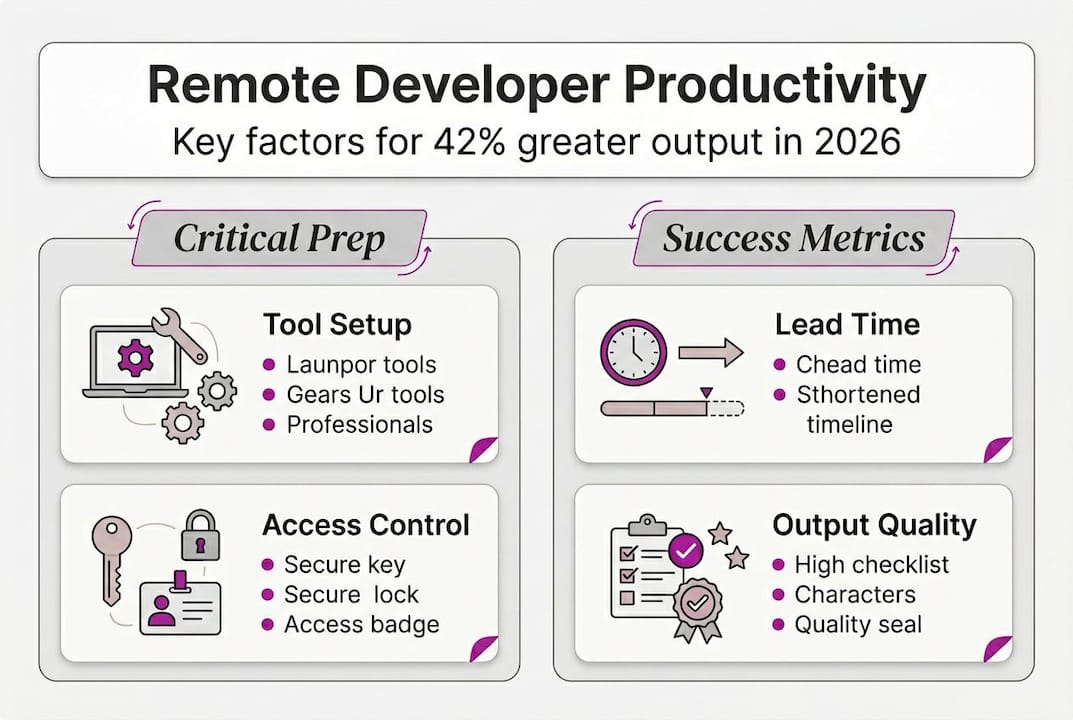
Measuring a remote workflow is not about surveillance. It is about spotting bottlenecks before they become crises. The four metrics that matter most are lead time (how long from ticket creation to deployment), deployment frequency (how often you ship), team sentiment (how people feel about the process), and feedback loop speed (how quickly issues get surfaced and resolved).
Here is how to run a regular retrospective that actually improves your process:
- Schedule it after every sprint or major release, not just when things go wrong.
- Ask three questions: What worked well? What slowed us down? What should we try differently?
- Document the outcomes and assign a specific owner to each improvement action.
- Review the previous retrospective at the start of the next one to check progress.
- Share learnings across teams or projects so the same mistakes do not repeat.
Culture is the main differentiator between thriving and struggling remote teams. Psychological safety, where people feel safe raising problems without fear, is what makes retrospectives honest and useful.
| Metric or approach | What success looks like | Common symptom of issues |
|---|---|---|
| Lead time | Under five days for standard tasks | Tickets sitting in review for weeks |
| Deployment frequency | Multiple times per week | Infrequent, high-risk releases |
| Team sentiment | Positive async updates, low churn | Terse communication, missed standups |
| Feedback loop speed | Issues flagged same day | Problems discovered in production |
Look at B2B project results to see how structured measurement shaped delivery on a real client engagement.
Why most remote workflows fail and how to build one that lasts
Here is the uncomfortable truth: most remote developer workflows do not fail because of the wrong tools. They fail because of the wrong culture. Teams spend weeks evaluating project management platforms and barely an hour discussing how they will communicate when something goes wrong.
Despite similar tools, the real difference in team productivity is company culture. That finding should reshape how you invest your setup time. Tools are table stakes. Trust and async clarity are the actual differentiators.
What drives accountability in a remote team is not a time-tracking tool or a daily standup. It is a shared understanding of what good looks like, and the psychological safety to flag when something is off. When developers trust that raising a blocker will not be treated as a failure, blockers get raised early. That alone can save days per sprint.
Focusing on outcomes over hours also transforms the culture over time. Developers stop performing busyness and start optimising for delivery. That shift is subtle but powerful, and it compounds. Teams that have been outcome-focused for six months operate at a fundamentally different level than those still measuring presence.
“Success in remote teams hinges more on trust and clarity than on tools.”
If you want to explore what that looks like in practice, the developer portfolio value piece covers how trust signals translate into real client and team relationships.
Supercharge your remote development workflow with expert help
If you want to upgrade your remote developer workflow or fix bottlenecks swiftly, specialist support can make the difference between a process that limps along and one that consistently delivers.
Rich Harrington brings over 22 years of hands-on development experience to exactly these kinds of challenges. From setting up automated onboarding scripts to implementing zero-trust security and async delivery frameworks, the custom workflow support available covers the full stack of what remote teams need. Whether you need a one-off workflow audit or ongoing devops and security expertise, there is a service package built around your actual needs. Book a consultation and get a clear, actionable plan for your team.
Frequently asked questions
What is the best workflow for remote developer teams?
GitHub Flow enables async continuous delivery for remote teams, making it one of the strongest choices for distributed development. Pair it with a visible Kanban board and clear ticket standards for best results.
How do you keep remote developers productive?
Automate onboarding, set clear communication protocols, and measure outputs rather than hours. Productivity is 42% higher when remote workflows are well designed, so the process investment pays back quickly.
How do you solve security concerns in remote development?
Zero-trust and jump servers are the recommended approach for controlling access and protecting development environments in distributed teams. Combine with multi-factor authentication and regular permission audits for a robust setup.