
A practical step-by-step guide to custom web app design for small businesses. Learn how to plan, design, test, and iterate your way to a web app that genuinely works.
Custom web app design guide: grow your business in 2026

TL;DR:
- Custom web apps solve real business problems more effectively than generic software.
- User research and accessible, responsive design are crucial for successful app development.
- Agile iteration and stakeholder feedback help ensure the app meets user needs and business goals.
Generic software is costing growing businesses more than they realise. When your processes outpace what off-the-shelf tools can handle, you end up stitching together workarounds, losing data between platforms, and watching staff waste hours on tasks a well-built app would handle in seconds. A custom web app, designed around your actual workflows and users, changes that equation entirely. This guide walks you through every stage of that process, from initial research and requirements gathering, through design and accessibility, to agile iteration and handoff. Follow these steps and you will build something that genuinely serves your business.
Table of Contents
- What you need before starting custom web app design
- Laying the groundwork: designing with users in mind
- Building for every scenario: responsive, accessible, and robust apps
- Iterating and testing: the agile blueprint for continuous improvement
- What most guides miss about custom web app success
- Accelerate your custom web app project with expert support
- Frequently asked questions
Key Takeaways
| Point | Details |
|---|---|
| Preparation is vital | Time spent understanding user needs and setting clear goals pays off later. |
| Design for everyone | Accessible, mobile-first, and robust web apps maximise reach and success. |
| Continuous iteration wins | Testing and feedback throughout each phase ensures better final outcomes. |
| Expert help accelerates results | Partnering with professionals transforms best practice into working digital solutions. |
What you need before starting custom web app design
Now that you see the potential gains, let’s break down the groundwork for a successful custom project. Skipping this stage is the single most common reason projects stall or go over budget. The good news is that preparation does not need to be slow or expensive.
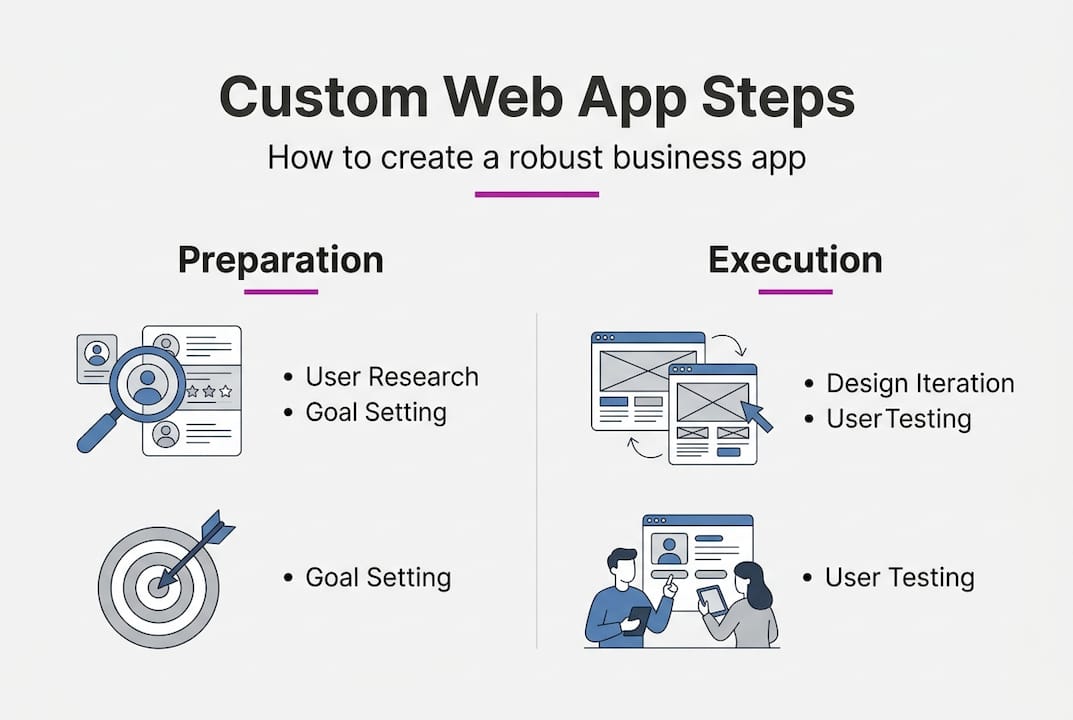
Start by understanding your users and your business goals. Run short interviews with the people who will actually use the app, whether that is your team, your customers, or both. Build simple personas that capture their goals, frustrations, and technical confidence. This is not about creating elaborate documents. It is about making sure every design decision has a real person behind it.
Next, define your requirements clearly. Split them into two columns:
- Must-haves: features the app cannot launch without
- Nice-to-haves: improvements that can follow in later releases
- Technical constraints: existing systems the app must connect with
- Human resources: who is managing the project, who is testing, who signs off
User-centred design research and agile iteration can cut development cycles by up to 50%, which is a compelling reason to invest time here before a single line of code is written.
For tooling, you do not need anything expensive at this stage. Figma handles wireframing and prototyping well. Notion or a simple spreadsheet works for requirements tracking. Miro is useful for journey mapping with your team.
| Preparation task | Recommended tool | Time investment |
|---|---|---|
| User interviews | Zoom, Google Meet | 2 to 4 hours |
| Persona creation | Figma, Miro | 1 to 2 hours |
| Requirements list | Notion, spreadsheet | 1 to 2 hours |
| Journey mapping | Miro, FigJam | 2 to 3 hours |
Looking at developer portfolios for credibility during this phase also helps you benchmark the type of output you should expect from any development partner.
Pro Tip: Spend at least one full day on user research before you touch any design framework. The insights you gather will save weeks of rework later.
Laying the groundwork: designing with users in mind
With clarity on what you need, the next step is putting users and efficiency at the heart of your design. This is where the real shape of your app begins to emerge.
Run your user research in lean, focused sprints. You do not need a research team or a lengthy process:
- Identify five to eight users who represent your core audience
- Conduct 20-minute interviews focused on current frustrations and goals
- Map their journey through the task your app will support
- Highlight friction points where users currently struggle or drop off
- Prioritise features that directly resolve the highest-impact problems
Once you have that insight, atomic design principles are your friend. The idea is simple: you build your interface from the smallest reusable elements upwards. Buttons, form fields, and labels become atoms. Combine them into molecules like search bars. Group those into organisms, templates, and finally full pages. This modular approach means your designers and developers work from the same shared components, which dramatically reduces rework.
‘Most redesigns fail for workflow, not visuals. Solve actual user problems first.’
Reusable design systems can double task success rates and cut build time by 50%, which is why investing in a proper component library early pays dividends across the entire project lifecycle.
You can see iterative design in practice through real project examples, which gives a useful reference point for how these principles translate into finished products.
Pro Tip: Hand atomic components to your developers as soon as they are signed off, not at the end of the design phase. Early handoff keeps everyone aligned and removes bottlenecks during build.
Building for every scenario: responsive, accessible, and robust apps
Designing with users in mind sets you up for the next critical challenge: resilience, reach, and inclusivity. A beautiful design that falls apart on a budget Android phone or excludes users with disabilities is not a finished product.

Start with a mobile-first approach. Design for the smallest screen first, then scale up. This forces you to prioritise what actually matters rather than cramming every feature onto a large desktop layout and hoping it shrinks gracefully.
| Strategy | How it works | Best for |
|---|---|---|
| Responsive design | Fluid grids that adapt to any screen | Most web apps |
| Adaptive design | Separate layouts per device type | Complex, device-specific UX |
| Progressive web app | App-like experience in browser | Offline and mobile-heavy use cases |
For device testing, do not limit yourself to flagship phones. Testing on mid-tier mobile devices and accounting for network delays is essential: every 100ms of lag costs roughly 7% of conversions. That adds up fast across thousands of sessions.
Accessibility is non-negotiable. Around 15% of people live with a disability, which means a significant portion of your users depend on your app meeting basic standards. Use this checklist:
- Meet WCAG 2.2 guidelines as a minimum
- Ensure colour contrast ratios of at least 4.5:1 for normal text
- Support full keyboard navigation throughout
- Test with screen readers such as NVDA or VoiceOver
- Manage focus correctly when modals or overlays open
You can find a practical breakdown of responsive design explained and review a mobile testing case study to see these principles applied to a live project. For detailed edge case handling including empty states, error screens, and offline modes, those scenarios deserve the same design attention as the happy path.
A two-second delay doubles your bounce rate. Design for speed from the very beginning, not as an afterthought.
Iterating and testing: the agile blueprint for continuous improvement
A strong foundation and inclusive design still require ongoing input and adjustment. Here is how to keep improving without losing momentum or drifting from your original business goals.
Fast feedback loops are the engine of a well-run project. Build a rough prototype, test it with real users, note what fails, and refine. Repeat. Each cycle should be short, ideally one to two weeks, so problems surface before they become expensive.
Structure your sprints around outcomes, not outputs. Instead of planning a sprint around “build the dashboard,” plan it around “users can view their key metrics in under 10 seconds.” This keeps your business goals visible throughout the build.
Tools that support this process effectively:
- Usability testing: Maze, Lookback, or simple recorded Zoom sessions
- Accessibility auditing: Axe DevTools, Lighthouse in Chrome
- Device testing: BrowserStack for broad device coverage
- Sprint tracking: Linear, Jira, or even GitHub Projects
Running a sprint retrospective well is what separates teams that improve from those that just stay busy:
- Gather data on what shipped, what did not, and why
- Generate insights by asking the team what slowed progress
- Decide on actions that are specific, owned, and time-bound
- Check in on those actions at the start of the next sprint
68% of redesigns fail due to workflow shortcomings that were never caught during testing. Continuous iteration is not a nice-to-have. It is how you avoid becoming that statistic.
For a closer look at performance optimisation steps that complement your testing cycle, that resource covers specific technical improvements worth integrating into your sprint workflow.
Pro Tip: Hand off atomic components to your developers as each design sprint closes. Waiting until the entire design is finished delays build time and creates unnecessary pressure at the end of the project.
What most guides miss about custom web app success
All the practical steps above matter, but real-world web app success is usually unlocked by one crucial shift that most articles skip entirely.
Small businesses tend to get fixated on technical sophistication. They ask which framework to use, whether to build native or web-based, and which design tool is most popular right now. These are useful questions, but they are secondary questions. The primary question is always: does this solve a real problem for a real person in a way they can actually use?
The workflow that connects strategy, hands-on user insight, and rapid iteration is rarer and more valuable than any technology choice. Most projects that struggle do not fail because of poor code. They fail because the team never built honest feedback loops with actual stakeholders, or because design decisions were made by the loudest voice in the room rather than by user data.
The return on investment from a specialist developer is not just about technical output. It is about having someone who will push back on bad assumptions, run the right tests, and keep the project anchored to outcomes rather than aesthetics. Trends in design come and go. Genuine agile discipline and honest stakeholder feedback are what consistently deliver results.
Accelerate your custom web app project with expert support
If you are ready to do more with your own project, expert support can help turn best practices into real business value.
Putting this framework into practice takes time, experience, and the ability to make fast, informed decisions when requirements shift. That is where professional development support earns its keep.
Whether you need a fully scoped custom SaaS development service, a polished custom website built around your brand and workflows, or simply a conversation about where to start, the right partner makes the process faster and the outcome sharper. You can book a consultation to talk through your project with no obligation and get a clear sense of what is actually involved before committing to anything.
Frequently asked questions
How long does it take to design a custom web app?
A well-managed, research-driven custom web app typically takes 8 to 16 weeks from scoping to launch for small businesses. Iterative design systems can reduce that development cycle by up to 50% when applied consistently from the start.
What is the biggest mistake to avoid with custom web apps?
Skipping user research and testing is the most costly mistake, often leading to expensive redesigns and unmet business goals. 68% of redesigns fail because of workflow shortcomings that were never identified early enough.
How do I ensure my app works for everyone, including on mobiles and with disabilities?
Prioritise mobile-first responsive design, test on mid-tier devices and slower networks, and meet accessibility standards including WCAG 2.2 and correct colour contrast ratios. Around 15% of the world lives with a disability, making accessibility and device testing non-negotiable for any serious web app.
Should I use off-the-shelf software or commission a custom app?
Custom apps are built around your unique business processes, unlike generic software that forces you to adapt your workflow to fit the tool. User-centred, agile development aligns your solution directly to real user journeys and measurable business goals, making it a stronger long-term investment for growing businesses.